The goal of this article is not to give a complete explanation about what is animation or how to animate, it is a way too broad topic and a lot of people already covered it way better than me (if you want, check Richard Williams’ book ‘The Animator’s Survival Kit’ which is a reference amongst animators)
My point is to explain quickly, basic notions of animation, so that it will be easier, for people with no animation background at all, to understand my upcoming articles. But since I come from a scientific background and have, in that regard, quite an analytic point of view, I hope I can still bring to the table things that can be interesting for artists.
Let’s start really basic
First of all, what is animation? It could be considered as the art of giving life (anima in Greek means ‘life’, ‘soul’) to static images. Indeed, most of the animation techniques consist of drawing/taking multiple pictures -that we call frames- that are slightly moving, then projecting them fast enough to give the impression of the movement. We call the frequency of this projection framerate: a framerate of 24 frame per second (fps) means that we show 24 frames in one second.
So, in a way, animating seems pretty simple, you just have to draw your character every 0.04s (24 fps) and that’s all. Except that if you try it, you will understand that it is not so easy. On a side note, it is not impossible, some animators work like that, it is called Straight Ahead animation but it is highly discouraged for beginners.
The usual ‘blocking’ workflow
If you still try to animate straight ahead like a maverick -I started like that actually- you will quickly notice a few things. There is a high chance you will not know what you are doing and where you are going. And even if you know where you want to go, you will probably not get to the pose you wanted initially, and at the right timing.
To solve this issue, animators work with something they call keyframes. The keyframes, as their names suggest, are frames that are key to describe the movement; with only these frames you should already be able to understand the motion. The animator craft or draw the keyposes and give them a timing (i.e choose the frames where they will be shown) to produce a ‘blocking‘.
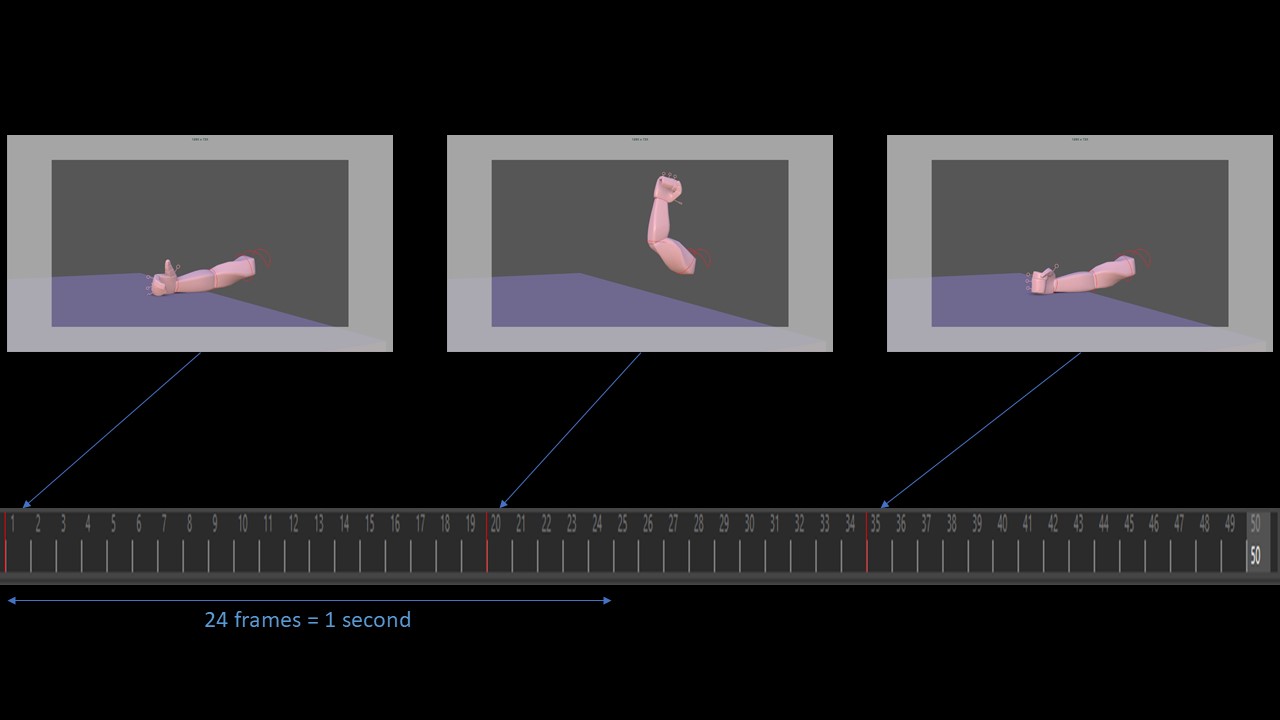
Then, we create other poses that we call ‘breakdowns‘, their role is to precise the spacing i.e give information about the dynamics of the movement. For example, do I go to one pose to another at constant speed or by accelerating? by going straight or doing an arc? etc.
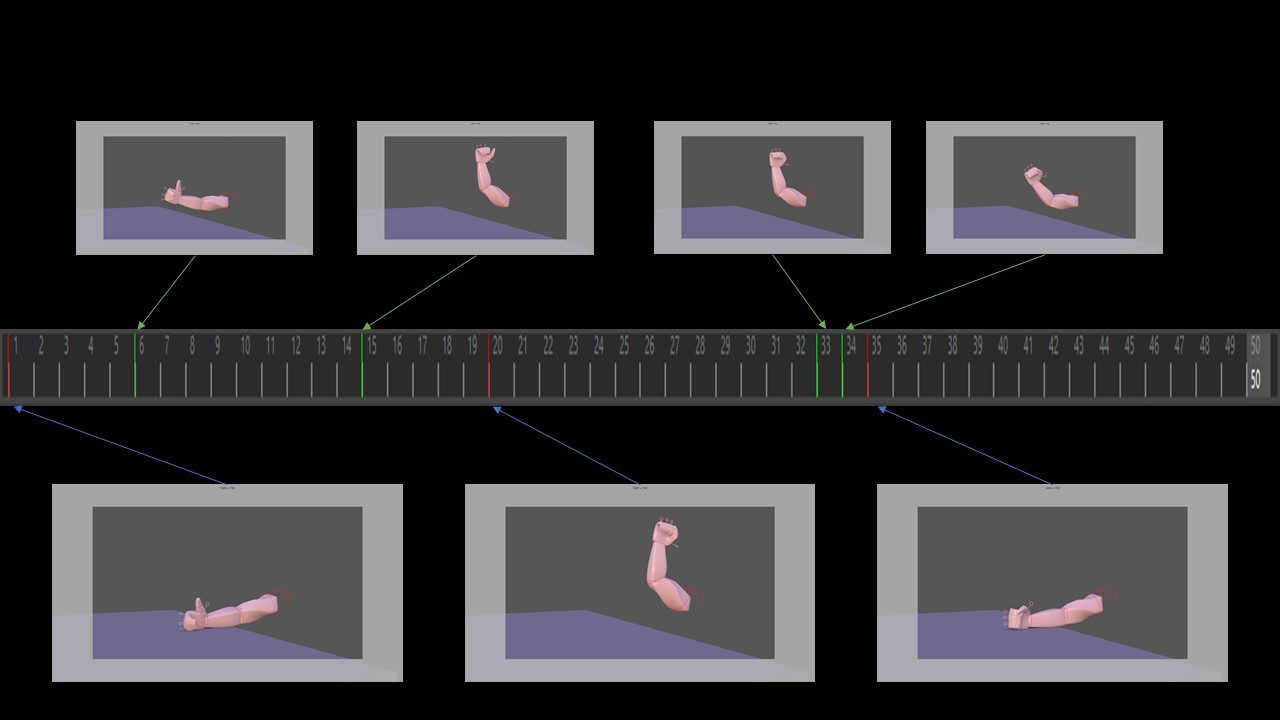
After we put enough breakdowns, we can focus on giving some smoothness to the motion. In 2D, it will consist of drawing the ‘inbetweens‘ i.e the frames between each breakdowns/keyframes. In 3D, we call it ‘spline‘, we let the computer calculate those frames -with a method called spline interpolation- between each of the poses we crafted. However, in both cases, it is not really straightforward and requires some work: we are not sure that the interpolation will behave how we expect it to do and some cleaning will probably be highly necessary. In his book, Richard Williams even states that (even though it is often done in practice), animators should do the inbetweens themselves and not let this task to the assistants as the assistants -somehow like the computer- would not do it properly.
Finally, there is an extra step of ‘polishing‘: it is time to correct some poses/timing/spacing, add extra details to make the result even more pleasant to watch. For example, in the video below, I increased the overlaps, added an anticipation and an overshoot/bounces to convey more strength in the impact. I will tackle all those subjects in upcoming articles 😉
https://vimeo.com/355817497 (if the embedding do not work)
Let’s summarize
- To animate, we need to produce still images that we will read at a given framerate (generally 24fps)
- First, I will work on my posing: WHAT are the actions that I want to describe
- Then, I will give a TIMING to my poses: WHEN (at which frame) do these actions take place
- It’s time to add breakdowns to set the SPACING: HOW I go to one pose to another, which trajectory/dynamics etc.
A few comments before ending this short introduction.
I did not mention the first and most important step which is the preparation of the shot. It is basically answering all those questions above (What/When/How) plus Why. Answering these questions is absolutely crucial as it is deeply linked to the storytelling role of the animators -and the reason why they cannot be easily replaced by a dynamics solver. Every pose/timing/spacing is an answer from the animator to one of those questions. When taking any decision, animators somehow need to always think about what they want to convey: when I’m making this pose, do I want to make my character seems reliable or suspicious? When crafting that timing, do I want them to look happy or gloomy? Setting that spacing, do they feel energetic or tired? etc. It’s the result of a thinking process on a micro scale (respect the physics/dynamics) and on a macro scale (respect the personality/mood/story). And that’s why it is so hard and complex I do believe.
Furthermore, remember that this is the usual workflow but not the only way of animating. There is the straight ahead approach, but you can also animate directly in spline: the purpose of this way of working is to shape as soon as possible the dynamics/timing (and then the rythm) of the shot and to work on the poses later on, it is particularly efficient on some action shots where the tempo is everything!
Hope you liked it! For any concern, question, correction, please tell me in the comments or by mail, I’d be happy to discuss anything regarding that topic!
Cheers,
Nico
 Before it gets messy